

At Castle Building & Remodeling, your feedback helps us grow and allows others to discover the quality of work we provide. We want the world to hear about your great experience, so we’ve put together a simple 6-step guide (complete with pictures) to make leaving a Google review quick and easy.
What makes Castle unique is that we have five distinct locations listed on Google to better serve you. With four showrooms across the Minneapolis-St. Paul area and our main headquarters in South Minneapolis, we recommend leaving your review for the specific location closest to your home or project site. Simply click the link for your location below to get right to the review page:
Step 1
Search for the business on Google.com
Go to Google.com and search for “Castle Building & Remodeling Minneapolis St. Paul”
to find our business profile.

Step 2
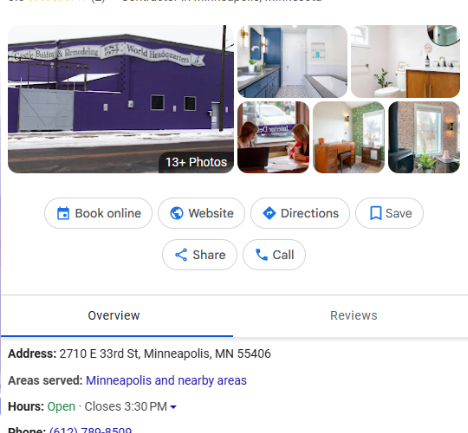
Find the “Business Profile” on the right side of the search results.
Our Business Profile should appear on the right side of the page; if it doesn’t, simply scroll
down to the “Locations” section and select the showroom closest to your home or project.
Step 3
Scroll down until you see the Write a review button and click it.
Look for a white button that says Write a review. It is usually located right next to the
“Reviews” tab or just below the star rating.

Step 4
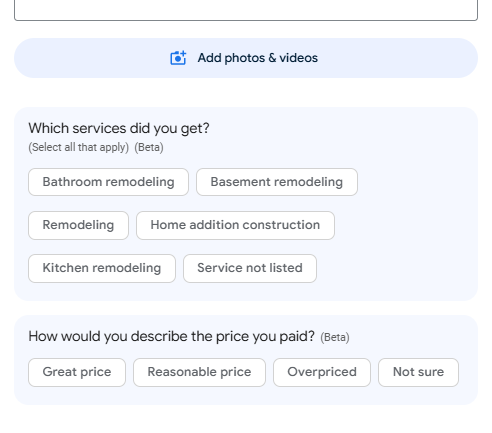
Select your star rating, type your review, and add photos if you’d like.
Be Specific: Instead of saying “It was good,” try “The staff was friendly and the order arrived 10 minutes early.”
Step 5
Click Post to finish.

Ready to level up your home? We want to hear your story! Share your experience by leaving a review for the Castle location nearest you, and you’ll be automatically entered for a chance to win a $500 gift certificate towards your next project! Whether you’re dreaming of a kitchen refresh or a total bathroom overhaul, this is your ticket to a stunning upgrade. Don’t wait! Your dream project is just one review away!